
Qeda doesn't have a separate "pause" switch for a service — it's either running its last deployment, or it's gone. What you can do is redeploy (the closest thing to a restart) or delete it outright.
Restarting (redeploy)
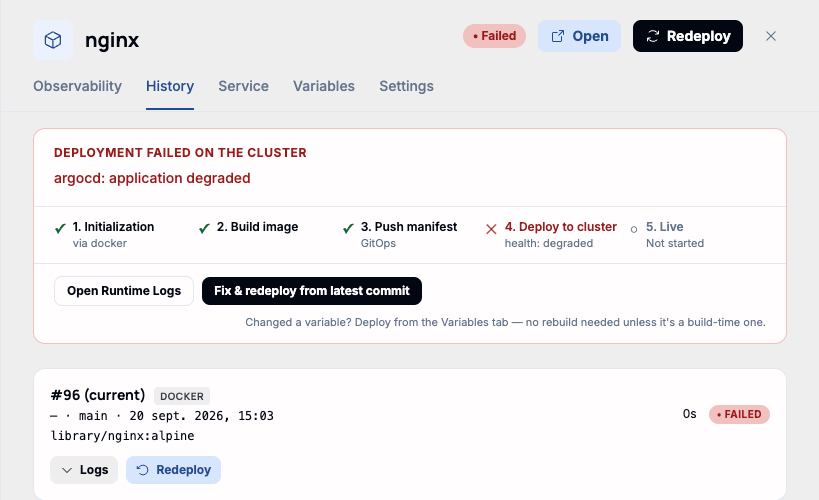
"Redeploy," in the drawer header, re-runs the pipeline against the current commit or image — the most common reason to reach for it is a stuck or crashed container that needs a clean restart. When a deploy has actually failed, the same action also appears inline as "Fix & redeploy from latest commit," right under the pipeline status.
The History tab lists every past deployment for the service, each with its own "Redeploy" button — useful for rolling back to a commit or image that's known to have worked, without waiting for a new push.
Deleting a service
Deleting lives in the Settings tab's Danger Zone, for app-type services (Git, Docker, Templates) — it removes the service and its databases from the cluster. The project itself stays, and any image already pushed to the registry stays too; only the running service and its data go.

Warning. This is permanent. Deleting a service also deletes any database attached to it as a companion — there's no separate step to keep the data and only remove the app.